


With Magento 1 reaching its end of life and security support officially discontinued, businesses worldwide are facing a critical decision: migrate to Magento 2 or risk operating on an unsupported platform.
While the prospect of migration might seem daunting, with proper planning and execution, you can transform this challenge into an opportunity to modernize your e-commerce infrastructure and unlock powerful new capabilities.
At Matrix Media Solutions, we’ve guided countless businesses through successful Magento 2 migrations. Here’s our comprehensive guide to making your upgrade both efficient and secure.
Understanding the Migration Situation
Magento 2 is a complete architectural overhaul. The platform offers significant improvements in performance, security, and user experience, but these benefits come with migration complexities that require careful navigation.
The new architecture brings enhanced page load speeds, improved mobile responsiveness, and a more intuitive admin interface. However, the fundamental code changes mean that direct upgrades aren’t possible. Instead, you’ll need a strategic migration approach that preserves your valuable data while adapting to the new platform’s requirements.
Pre-Migration Assessment: Your Foundation for Success
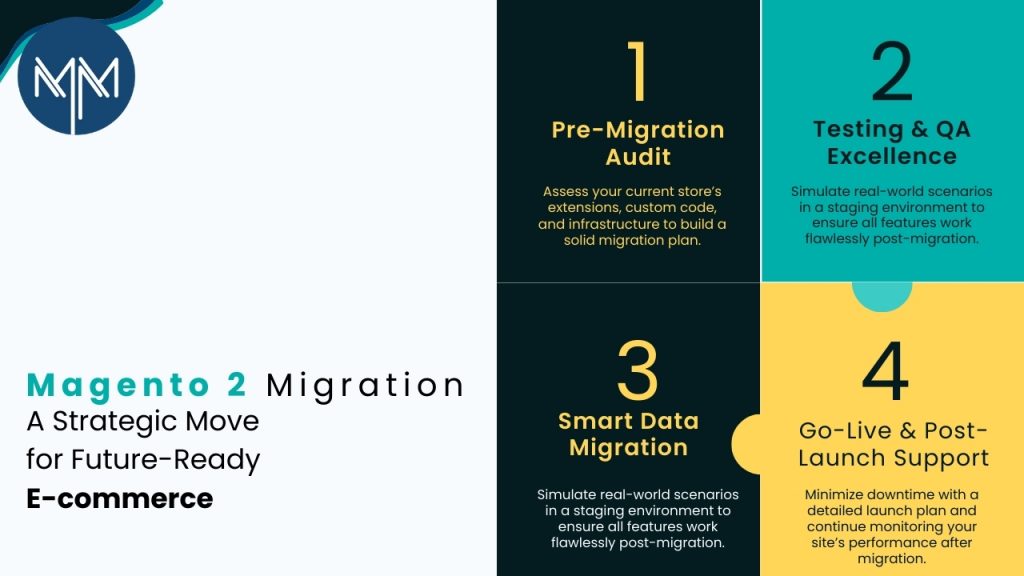
Before diving into the technical aspects of migration, conduct a thorough assessment of your current setup. Document all custom functionalities, third-party extensions, payment gateways, and integrations that power your existing store. This inventory will help you understand what needs to be rebuilt, replaced, or reconfigured in Magento 2.
Analyze your current performance metrics, including page load times, conversion rates, and user engagement statistics. These baseline measurements will help you evaluate the success of your migration and identify areas for improvement during the process.
Review your hosting environment and infrastructure requirements. Magento 2 has different server requirements than its predecessor, including newer PHP versions and updated MySQL configurations. Ensure your hosting solution can support these requirements or plan for an infrastructure upgrade alongside your platform migration.
Data Migration Strategy: Preserving Your Digital Assets
Your product catalog, customer data, order history, and content represent years of business investment. Protecting this information during migration is paramount to maintaining business continuity and customer trust.
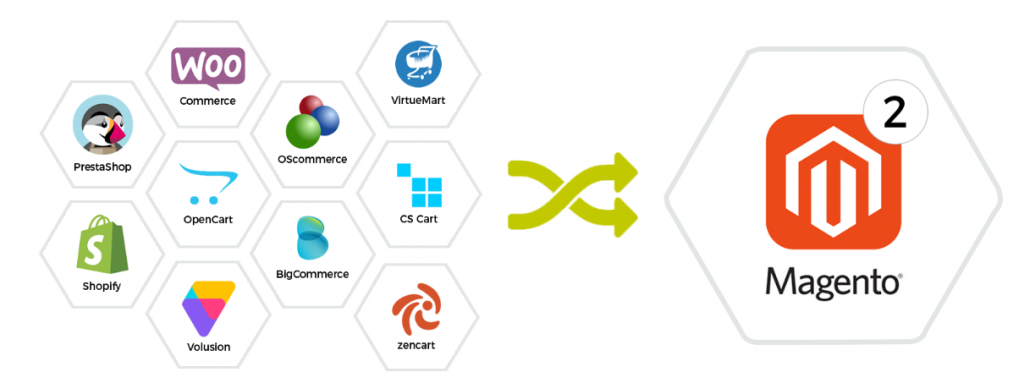
The official Magento Data Migration Tool provides a solid foundation for transferring core data, but it requires customization for unique configurations. Map your data structure carefully, identifying custom attributes, categories, and product relationships that need special handling during the transfer process.
Create a comprehensive backup strategy that includes both database and file system backups. Test these backups thoroughly before beginning migration activities. Consider implementing incremental backup procedures to capture any changes that occur during the migration period.
Plan for data validation at multiple stages throughout the migration process. Implement checkpoints where you can verify data integrity, completeness, and accuracy. This approach helps identify issues early when they’re easier to resolve.
Extension and Customization Planning
One of the most challenging aspects of Magento 2 migration involves handling custom extensions and modifications. Many Magento 1 extensions don’t have direct Magento 2 equivalents, requiring alternative solutions or complete redevelopment.
Audit your current extensions and categorize them by importance and availability. Essential extensions that lack Magento 2 versions will need custom development or suitable alternatives. Less critical extensions might present an opportunity to simplify your setup and improve performance.
Document all custom code modifications and integrations. These will likely require complete rewrites to work with Magento 2’s architecture. Consider this an opportunity to optimize and modernize your custom functionality while ensuring compatibility with future Magento updates.
Testing and Quality Assurance Framework
Establish a secure testing environment that mirrors your production setup as closely as possible. This environment should include the same server configurations, third-party integrations, and data volumes you’ll encounter in production.
Develop comprehensive test cases covering all critical business functions, including customer registration, product browsing, checkout processes, payment processing, and order management. Don’t forget to test administrative functions and any custom workflows your team relies on daily.
Implement automated testing where possible to ensure consistent validation of core functionalities. This approach becomes particularly valuable when making iterative improvements during the migration process.
Plan for user acceptance testing with key stakeholders and power users. Their feedback on workflow changes and new features will help identify potential issues before going live.
Performance Optimization Strategies
Magento 2 offers superior performance capabilities compared to its predecessor, but realizing these benefits requires proper configuration and optimization. Focus on caching strategies, database optimization, and content delivery network implementation.
Configure Varnish caching and Redis for session storage and page caching. These technologies can significantly improve response times and handle higher traffic volumes more effectively than default configurations.
Optimize your product catalog structure and eliminate unnecessary data that might have accumulated over years of Magento 1 operation. Clean product attributes, remove unused categories, and consolidate duplicate content.
Security Considerations and Best Practices
Security should be a primary concern throughout the migration process. Magento 2 includes enhanced security features, but proper implementation and configuration are essential for maximum protection.
Implement strong authentication mechanisms, including two-factor authentication for administrative access. Configure secure communication protocols and ensure all data transmission occurs over encrypted connections.
Review and update user permissions and access controls. The migration presents an excellent opportunity to implement the principle of least privilege and remove unnecessary administrative access.
Go-Live Planning and Post-Migration Support
Develop a detailed go-live plan that minimizes downtime and ensures smooth transition for customers and staff. Consider implementing the migration during low-traffic periods and have rollback procedures ready if unexpected issues arise.
Plan for post-migration monitoring and support. Even well-executed migrations can reveal unexpected issues once live traffic begins flowing through the new system. Establish monitoring for performance metrics, error rates, and user experience indicators.
Create comprehensive documentation for the new system, including administrative procedures, troubleshooting guides, and maintenance schedules. This documentation will prove invaluable for ongoing operations and future team members.
Conclusion
Magento 2 migration represents an investment in your business’s digital future. While the process requires careful planning and execution, the benefits of improved performance, enhanced security, and modern functionality make the effort worthwhile.
At Matrix Media Solutions, we understand that every business has unique requirements and constraints. Our experienced team can guide you through each phase of the migration process, ensuring minimal disruption to your operations while maximizing the benefits of your new Magento 2 platform.
The key to successful migration lies in thorough preparation, systematic execution, and ongoing optimization. By following these guidelines and working with experienced professionals, you can transform your e-commerce platform into a powerful engine for business growth and customer satisfaction.
 November 16, 2021